In short: merouni.com helps students in Nepal find and compare colleges, universities, programs, exams and scholarships. All of that content has to be entered and kept up to date by people with different jobs: admins, editors, teachers, agents who refer students, and the students themselves.
I started the admin dashboard from an empty folder. It checks who you are before a page loads, keeps you signed in without any page having to think about it, and gives about 15 content types the same search, paging and editing experience. I also built the public homepage sections, the college and event detail pages, and the wishlist.
The problem
The backend team had built an API for about 15 kinds of content: colleges, universities, faculties, programs, courses, exams, careers, consultancies, levels, tags, materials, banners, scholarships, events and more. There was no way for staff to manage any of it.
Three things made that harder than "build some forms":
- Six roles. A teacher should see materials, an agent should only refer students, and an editor should manage content but not approve agents.
- Lots of screens. Fifteen content types, each needing a list, search, paging, create, edit and delete. Building each one by hand would mean fifteen slightly different tables.
- Big records. A college has basic details, courses, a logo, a featured image, a gallery, staff members, admission rules for each course, an address and contacts. That is one record, edited by one form.
Screens from the live product
Real screenshots of what I built. Select one to see it full size.
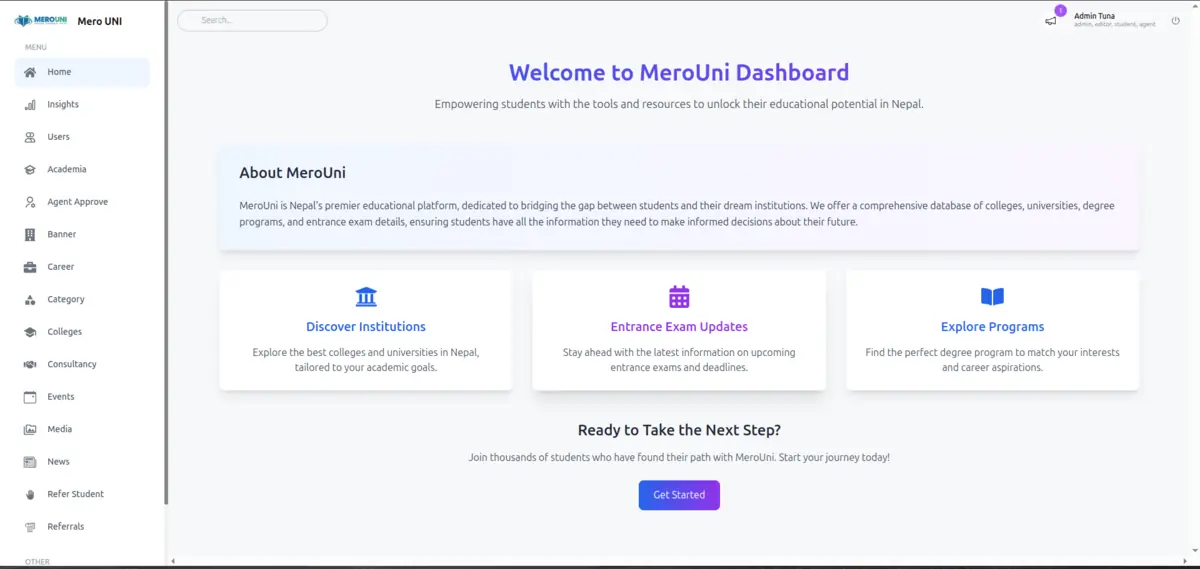
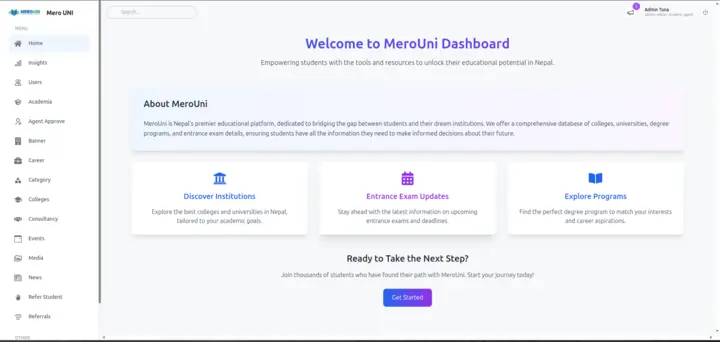 Dashboard home and sidebar
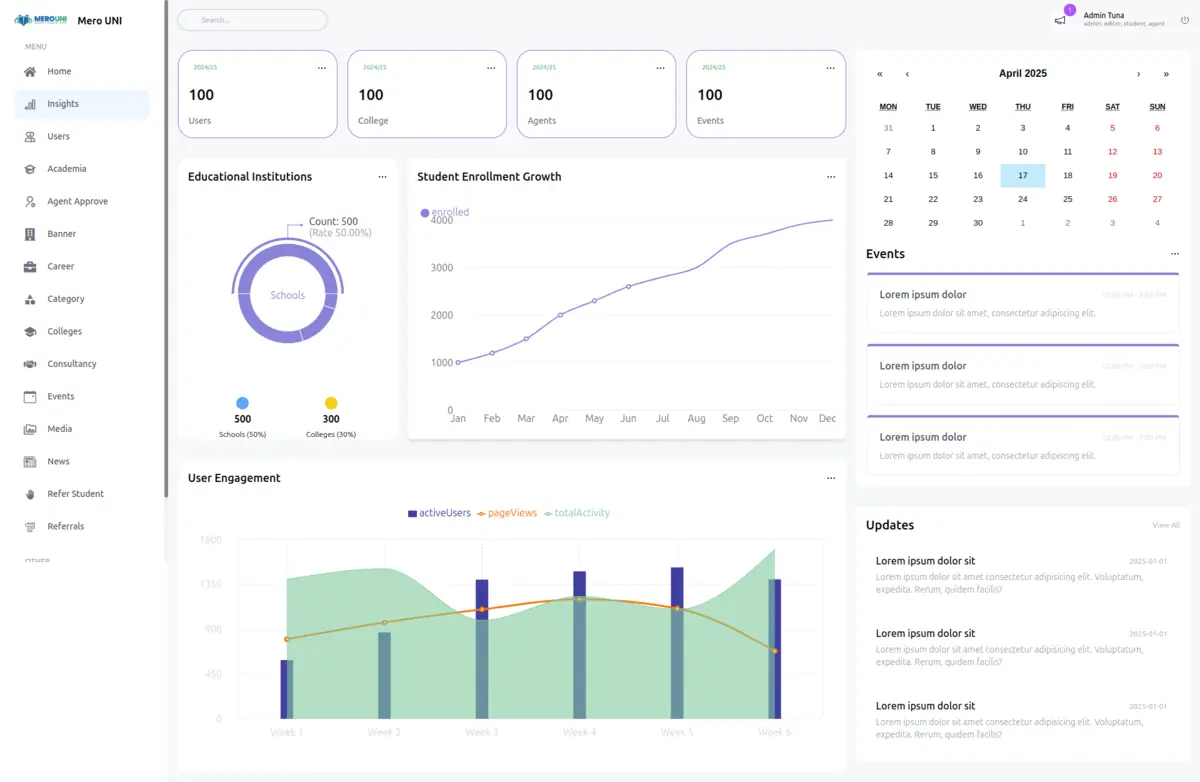
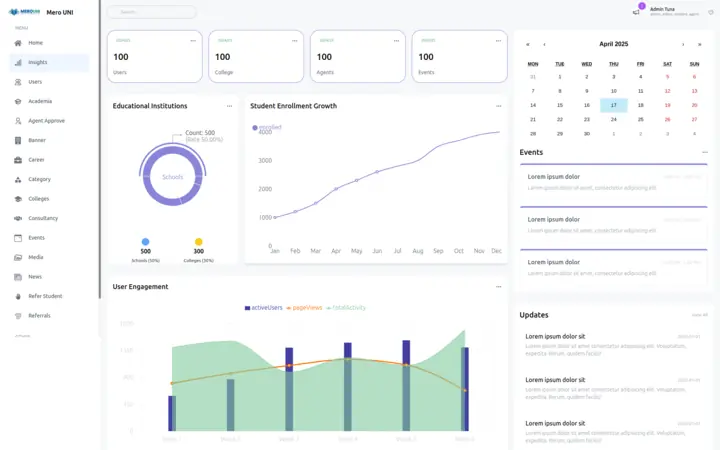 Insights layout
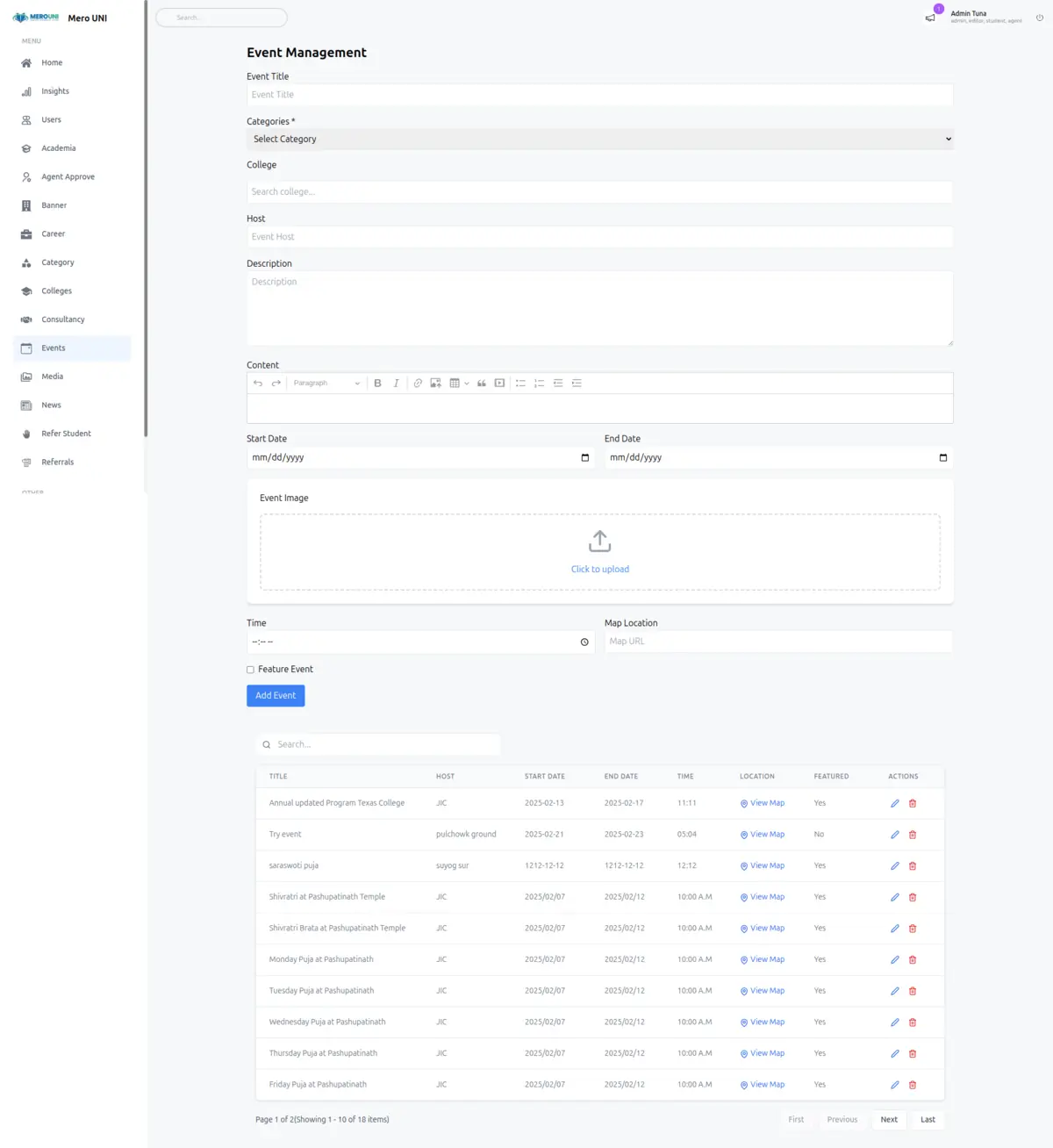
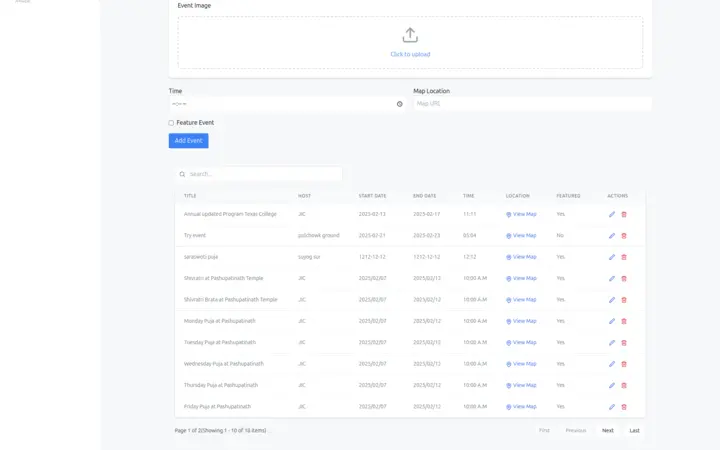 Events: form and server-paged table
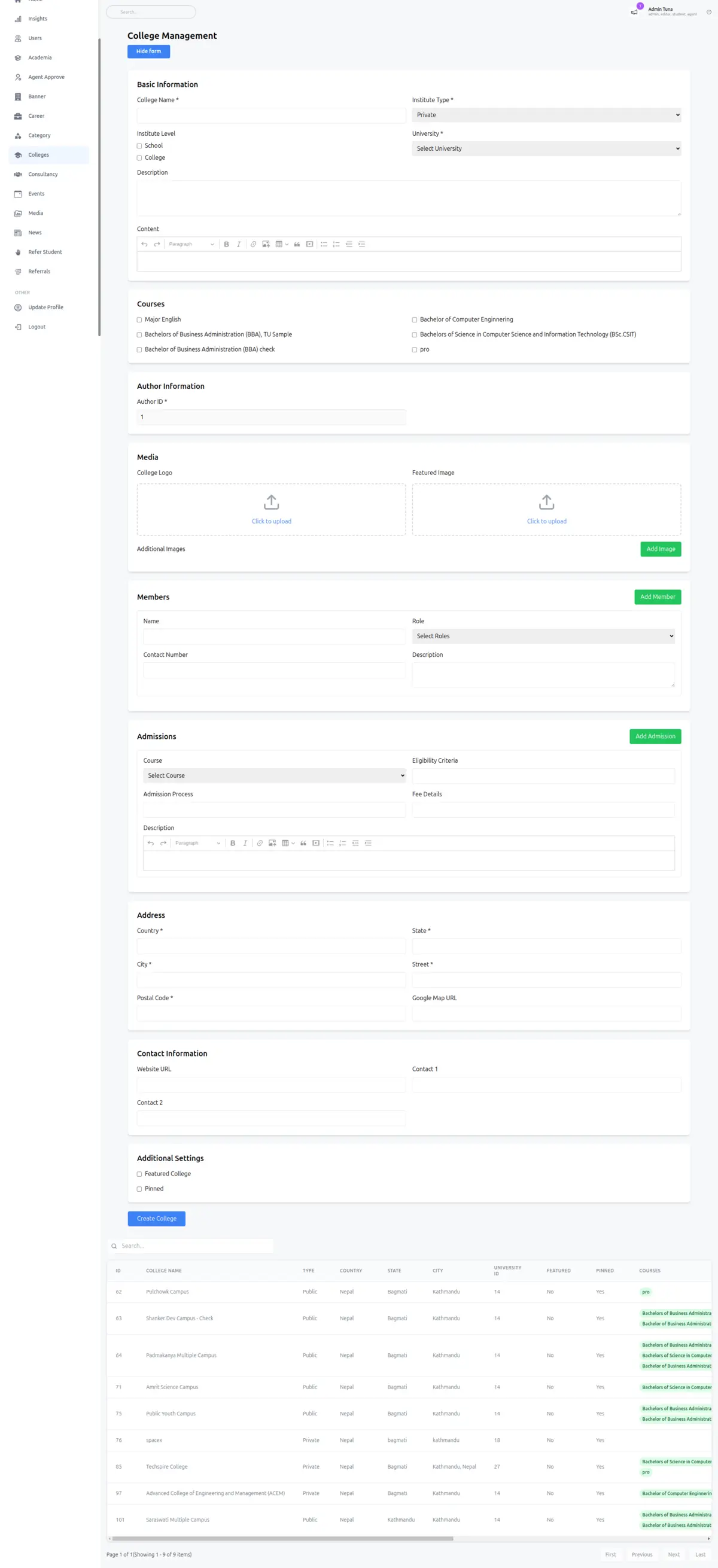
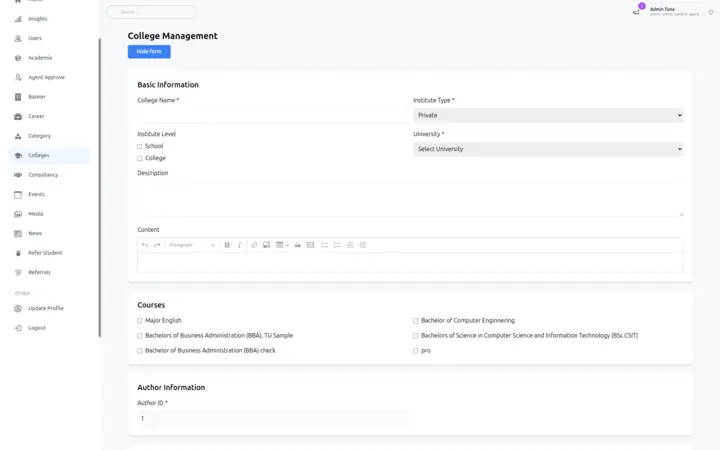 College form (long, nested)
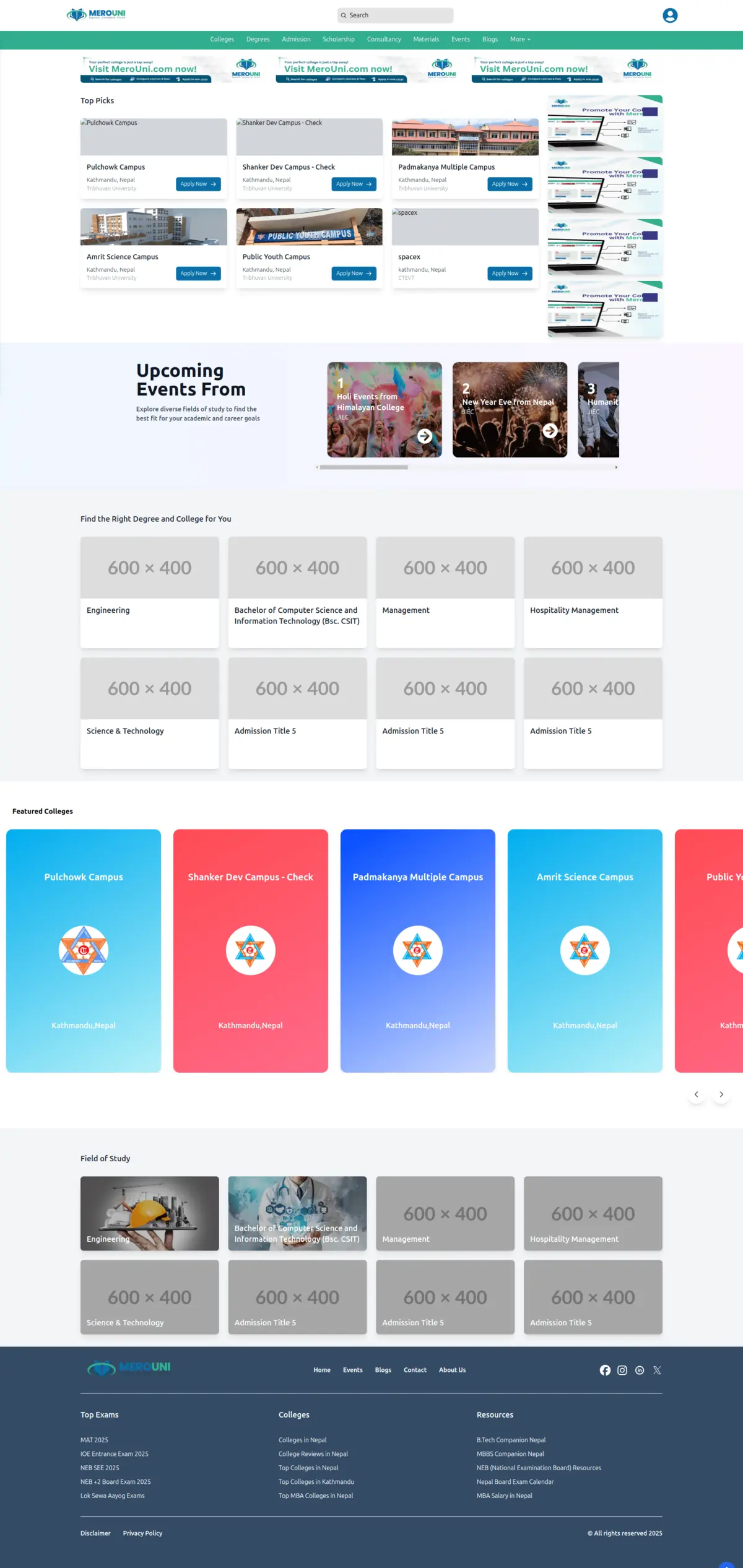
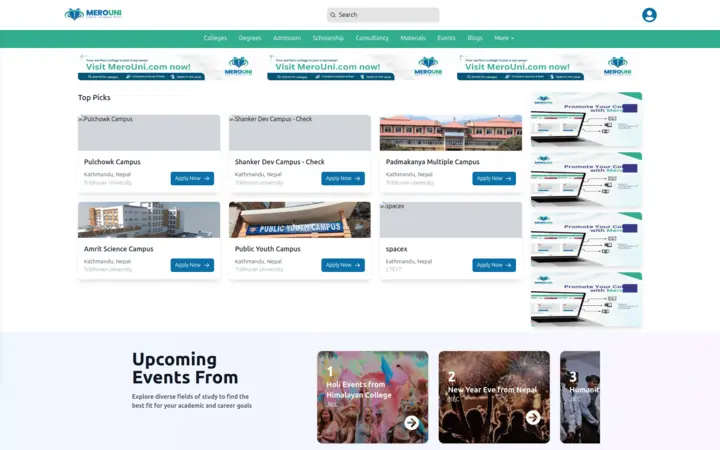 Public homepage
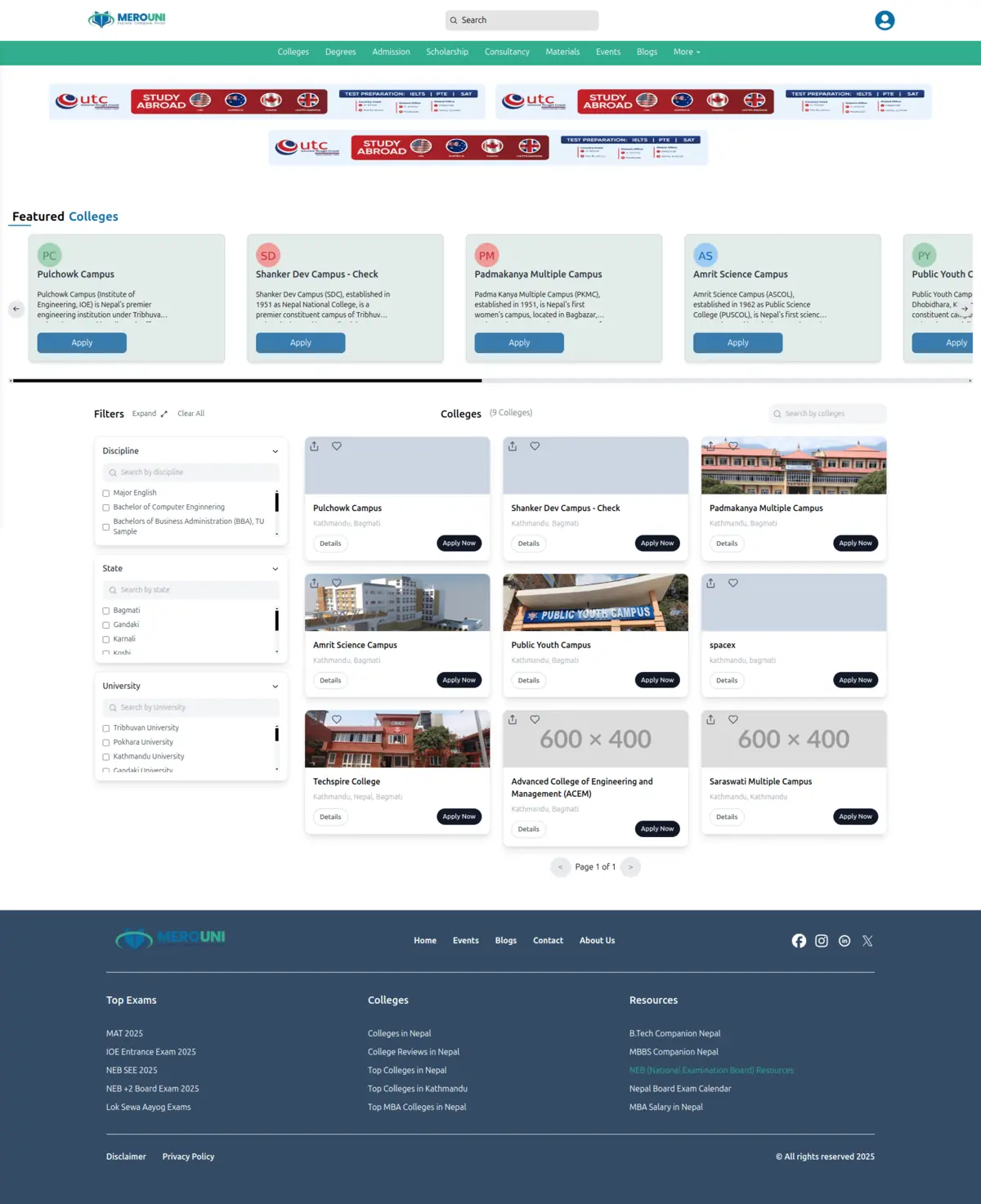
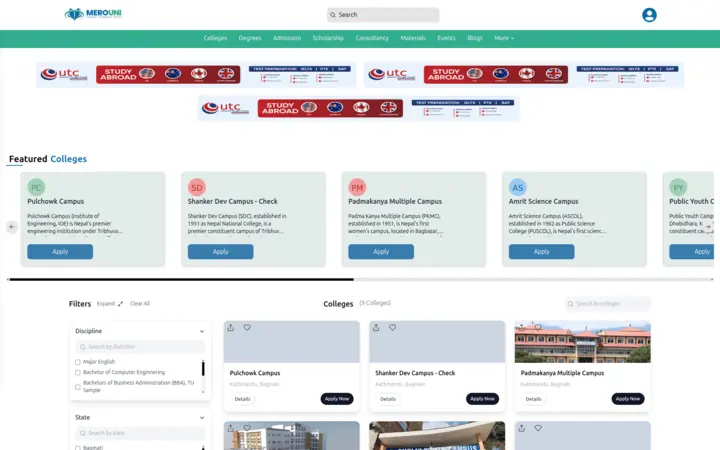 Colleges with filters
Decision 1: decide who can open a page before it loads
The simple approach is to check the user's role inside each page and hide things that are not allowed. That spreads the rules across 20+ files, and the page still starts loading before it decides to send you away.
I put the check in Next.js middleware, which runs before any dashboard page is served. It reads the sign-in cookie, reads the user's roles from it, and compares the requested path against one rolePermissions map. If no role allows the path, you go to a "not allowed" page. If you are not signed in, you go to sign in. If you are already signed in and open the sign-in page, you go straight to the dashboard.
A user can hold several roles at once, so access is allowed if any of their roles allows the page. Try it: pick one or more roles and see which dashboard pages open.
{"admin":true}Changing what a role can do is a one-line edit in one file. A page someone is not allowed to see never renders at all, so there is no flash of content and no per-page guard to forget.
Decision 2: keep people signed in from one place
Sign-in uses a short-lived access cookie and a longer-lived refresh token. When the access cookie expires, a request fails. If every screen handled that itself, every screen would need the same retry code, and one forgotten screen would log people out.
I wrote one small wrapper, authFetch, and used it for every signed-in request. It:
- sends the request with the cookie and the refresh token,
- if the answer is "unauthorised", tries the same request once more,
- on that second try the backend sees the valid refresh token and issues a fresh access cookie,
- if the second try is still refused, it clears the stored token and tells the user the session has ended.
The user's profile and roles live in a Redux store that survives page reloads, so the sidebar and header know who you are straight away.
No page in the dashboard contains any token logic. A screen just asks for data. Expiry is handled once, the same way, everywhere.
Decision 3: one table component for about 15 screens
Every content type needed a list with search and paging. Lists can be long, so the browser should only ever hold one page of rows. That means the server does the paging and the searching, and the table just shows what it is given.
I built one table component on TanStack Table and switched it to server mode: the API says how many pages there are, and the table asks for a page when you click First, Previous, Next or Last. Search waits until you stop typing for 300 ms before it asks the server, so typing "kathmandu" sends one request, not nine. Clearing the box reloads the full list immediately. While a request is in flight, a shimmer placeholder shows where the rows will be. Column headers sort the current page.
Each of the 15 screens only says which columns it has and how to fetch a page or a search. Try the table below and watch the request log. The data is made up.
?page= to browse and ?q= to search. Responses here come from a fake server with a short delay, so you can see the loading state.Adding a new admin screen became "write the columns and two fetch functions". In my last week I added server search and paging to every table in a few days, because the work was in one component.
Decision 4: one form that creates and edits a whole college
The college form is about 1,000 lines and covers nine sections. Three of them are lists the editor can grow and shrink: staff members, admissions (one per course) and gallery images. I used React Hook Form with useFieldArray for each list, so adding a fourth admission row is one click and the form state stays in one object that matches what the API expects.
Editing is the hard part. When you click edit on a college in the table, the form loads that college and maps every field back in, including nested ones like the address and each admission row. A hidden id field is added in edit mode. The API treats a save with an id as an update and a save without one as a new college, so a single submit function handles both.
Create and edit cannot drift apart, because they are the same code. A bug fixed in one is fixed in both.
Decision 5: upload images first, submit only links
A college has a logo, a featured image and a gallery. Sending all of them inside the form submit makes the save slow and means a failed save loses the images.
My upload component does two things the moment you pick a file. It shows a preview straight away from the file on your computer, and it uploads the file to the media service in the background. When the upload finishes, only the returned URL is stored in the form. Saving the college then sends a small piece of JSON with links, never files.
The public site
On the public side I built the homepage sections (hero, rankings, college carousel and programs), the college and event detail pages, and the wishlist, where signed-in students save colleges for later.
The colleges page has a search box and filters for discipline, state and university. Search waits for typing to pause, like the admin table. Filters are only added to the request when at least one is ticked, so an unfiltered visit asks for the plain list and the server never receives empty filter values.
Seven weeks of work
My commits on the main branch, grouped by week. It shows the order I built things in: the dashboard shell first, then the public site, then sign-in and roles, then a sprint through every content type.
- Jan 211Sign-up, sidebar, users list with paging and an edit modal
- Jan 66First TanStack tables, faculty and scholarship screens, homepage hero
- Jan 1310Public homepage sections and responsive header and footer
- Jan 206College and event pages connected to the API
- Jan 279Redux user store, wishlist, refresh tokens, role-based access
- Feb 314Dashboard sign-in, college table and the full college form
- Feb 1022CRUD for exams, programs, courses, careers, levels, tags, materials and more
- Feb 1717Server search and paging on every table, responsive detail pages
Results
Staff got a working dashboard for every content type the API offered, with the same search, paging and editing everywhere. The rules that are easy to get wrong, permissions, token expiry and paging, each live in exactly one place.
What I'd do differently now
This was my first production project. Looking back with more experience, here is what I would change:
- Render public pages on the server. The college and university pages loaded their data in the browser. Rendering them on the server with Next.js would make them faster to first paint and much easier for search engines to read, which matters for a site students find through search.
- Verify tokens at the edge. I would check the token's signature in the middleware as well as reading its roles, so the routing decision and the backend always make the same trust decision.
- Describe forms with a schema. A schema library such as Zod would give the college form one definition for its shape, validation and error messages, shared with the API, instead of rules spread across fields.
- Test the permission map. A small table of "this role, this path, expected result" tests would make every change to the map safe to review at a glance.